1. Answer a pre-sale question
Turn a real sales question into a useful post, article, video, or FAQ.
CONTENT SYSTEMS
A useful content calendar does more than fill empty dates. It helps a small business answer customer questions, demonstrate expertise, stay visible, and create a repeatable publishing routine.
When you run a small business, “What should I post this week?” can become a recurring problem. The easiest solution is not to chase every trend. It is to build a small library of dependable content types and rotate them around real customer needs.
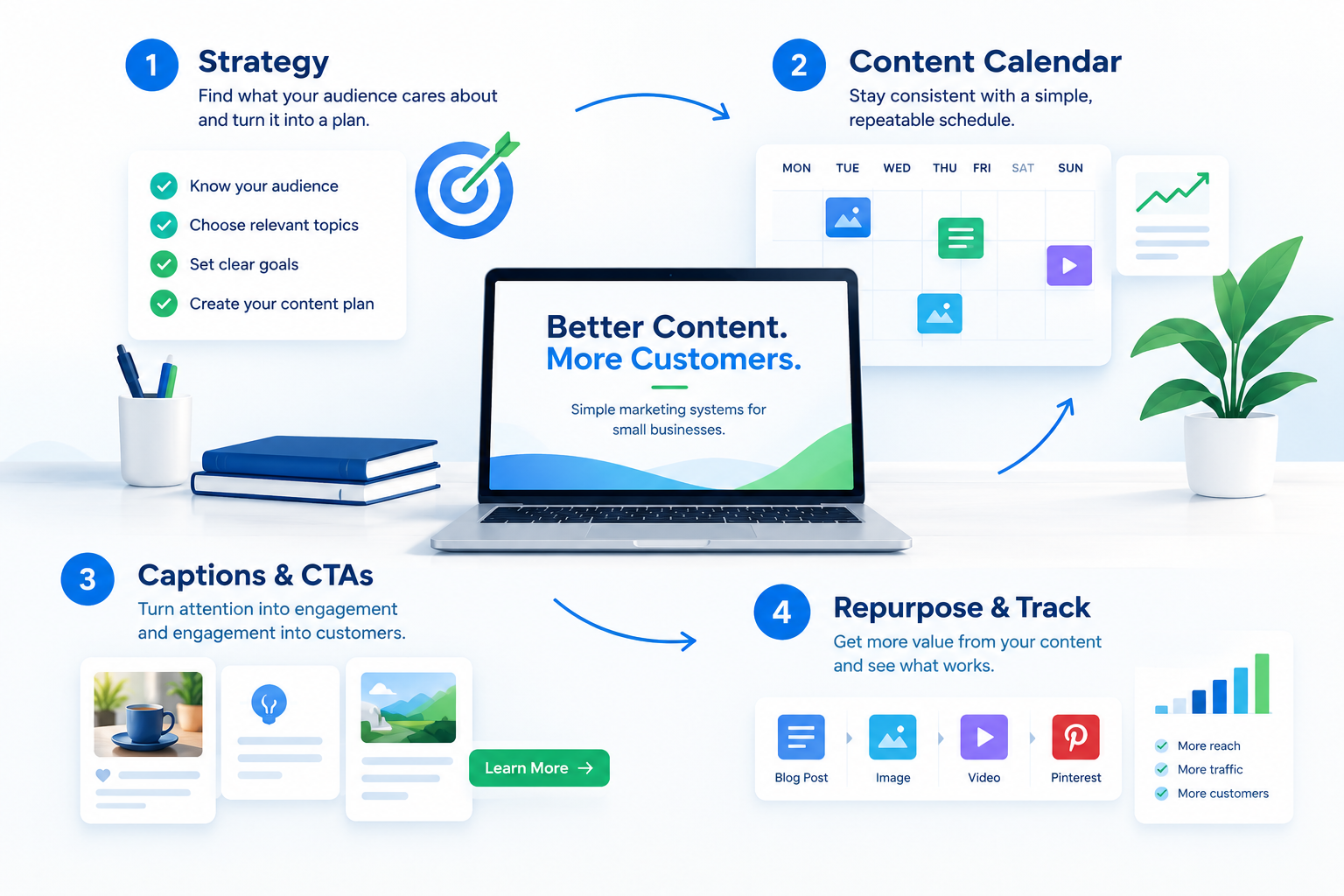
The AI Content & Social Growth Toolkit brings strategy planning, a content calendar, caption and CTA planning, and repurposing/performance tracking into one browser-based workflow.
View the AI Content & Social Growth Toolkit →Affiliate link. We may receive a commission at no extra cost to you. See our disclosure.
A practical content system
The goal is not to publish more for the sake of publishing. Use a small set of repeatable content jobs to answer customer questions, demonstrate expertise, remove objections, and make the next step easier.
Turn a real sales question into a useful post, article, video, or FAQ.
Show what happens after a prospect contacts you and what they should expect.
Explain a mistake customers make and how to avoid it.
Show the problem, the important change, and the lesson behind the solution.
Cover a consultation, appointment, inspection, onboarding, installation, or repair.
Solve one narrow customer problem with a short, saveable checklist.
Teach what makes a project more or less expensive without hiding the tradeoffs.
Help customers choose between two approaches and explain who each suits.
Describe a typical situation, decision, and sensible solution path.
Use problem → approach → implementation → lesson, with permission.
Explain why a tool matters to the workflow or customer outcome.
Give a practical DIY-vs-expert decision framework.
Answer a common hesitation honestly and explain the tradeoff.
Create genuinely useful area-specific information related to your niche.
Connect your expertise to a predictable seasonal customer need.
Define one industry phrase in plain English and say when it matters.
Give readers a quick diagnostic they can use today.
Turn one good answer into an article, post, email, video outline, and checklist.
Show preparation, quality control, or expertise customers rarely see.
Give the reader one useful first action instead of a giant task list.
Explain best-fit customers and who may not need the service.
Describe realistic consequences without fear-based exaggeration.
Collect recurring questions specific to your area or customer type.
Correct one common misconception that affects a real customer decision.
Give customers a checklist for evaluating providers.
Offer a preparation checklist, follow-up outline, review request, or worksheet.
Write about a recurring pattern you have actually seen in your work.
Tell customers the few things worth focusing on this month.
Break a strong resource into smaller standalone pieces.
Tell readers exactly what information to gather or action to take next.
You do not need to publish everywhere every day. A manageable weekly rhythm is often better than an ambitious schedule that stops after two weeks.
| Day | Content job | Example |
|---|---|---|
| Monday | Teach | Answer one customer question |
| Wednesday | Demonstrate | Show a process, checklist, or example |
| Friday | Convert | Address an objection and explain the next step |
Then reuse the best idea in another format. For example, Monday’s article can become a short LinkedIn post, a visual checklist, an email, and a short video outline.
A content calendar becomes weak when it is built around filler. Avoid posting just to hit a number, copying competitors word-for-word, making unsupported claims, or publishing generic AI-written material without adding your own experience and examples.
For the next four weeks, pick three content jobs: teach, demonstrate, and convert. Publish one useful piece for each job every week. At the end of the month, keep the topics that generated meaningful responses and improve the ones that did not.
Affiliate disclosure: Some links on SmallBiz Visibility may be affiliate links. If you purchase through one of those links, we may receive a commission at no extra cost to you. See our full disclosure.